Does the macro work in full-screen game mode?Yes. Bridger Western Macro replays input at the hardware level, so it works in windowed and full-screen games alike. The clicks and keystrokes reach the game the same way manual input does.
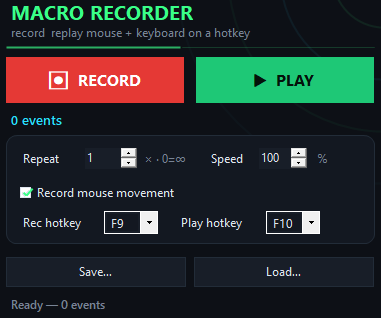
Can I replay the same farming loop a set number of times?Yes. The macro lets you choose to play once, a specific number of times, or infinitely until you press F10 to stop it. Set the loop count and walk away.
What happens if I play a routine recorded on one character with a different resolution?Mouse movement based on coordinates may land in different spots on another screen size. Routines built around clicks and keystrokes (not pure mouse paths) replay more reliably across machines and resolutions.
Does the macro send keystrokes at the hardware level?Yes. Input is replayed as scan-codes, which means even games and systems that block simulated input will receive the keystrokes and clicks from Bridger Western Macro.
Can I edit a saved macro file?The macro files are saved in a format you can load back into Bridger Western Macro and replay. For editing, re-record the routine or re-record just the part that needs to change.
Is there a limit to how long a macro can be?No. Record a farming loop five minutes long or fifty minutes long—the macro saves and replays the full routine without length limits.
Will this get me banned?Bridger Western Macro replays standard mouse clicks and keyboard input without modifying game files or injecting code. Whether a game permits macros is their rule—always check the game's terms before using one.